Tap the Help button in the Settings menu
If you’re having trouble with an aspect of the game, check out our support articles by tapping Settings and then Help.
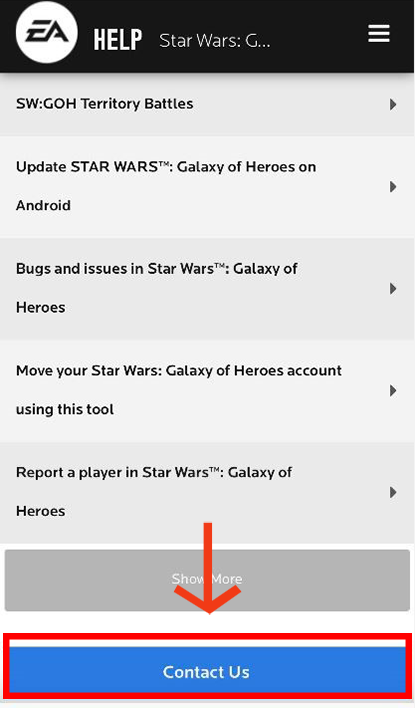
If you can’t find a solution in one of our articles, make a support ticket by clicking the Contact Us button at the bottom of any article, or click the Contact Us button underneath the article options.
When you contact us
Not seeing your purchased Crystals?
If you’ve
purchased Crystals through the in-game store but haven’t received them,
please try the following before contacting support:
purchased Crystals through the in-game store but haven’t received them,
please try the following before contacting support:
- Tap on the cog icon (Settings) on the Cantina screen.
- Tap on Restore Purchases.
- This will make the game check for and resync any recent purchases.
- You’ll get a notification through in-game mail if your purchase is successfully restored.
Creating EA support tickets on iOS tablets OS 13 or higher
Some players are having trouble creating support tickets in-game with iOS tablets OS 13 or higher. When players try and create a ticket, it fails and they get an error saying "Safari cannot open the page because too many redirects occurred."
If you’re playing on an impacted device and are having trouble creating a support ticket, try this workaround.
- Close the game and close all Safari tabs.
- Clear your history in Safari.
- Go to Device Settings, then Safari.
- Click on Request Desktop Site and turn OFF this option.
- Open the game again and try to create a support ticket from in-game.
- If the "Aa" option in the browser is active, you should be able to create a ticket from in-game.